Salman regularly monitors his investment portfolio, but over time, the details have become more than just numbers on a screen.
Stocks, funds, open positions, unrealized gains and losses, and allocations across different assets and markets. Each part of the portfolio tells you something, but seeing the full picture requires time and focus.
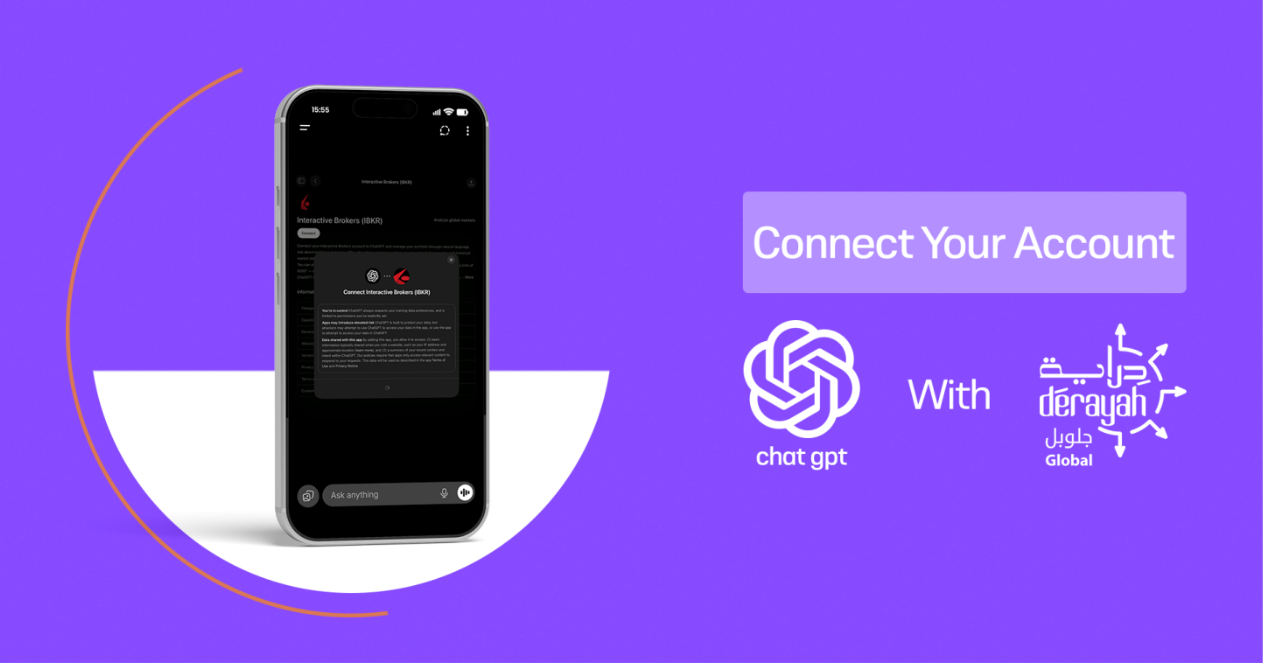
This is where connecting Derayah Global with ChatGPT comes in.
Instead of reviewing the data from different angles, Salman can ask about it directly in the conversation using simple language: What do I own? How is my portfolio allocated? Which investments are performing best? How much are my unrealized gains or losses?
With this connection, portfolio data is transformed from numbers and tables into clearer summaries that help him monitor his investments and understand the overall picture more easily.
ChatGPT does not make decisions for him, but it helps him read and understand his data more clearly.
You can also benefit from this connection. Here are the steps in simple terms:
Before You Begin
Make sure you have:
- An active Derayah Global account.
- The username and password for your account.
- The Derayah Global app activated on your phone to receive verification notifications.
- An account signed in to the ChatGPT app.
From ChatGPT to Your Portfolio
Open the ChatGPT app and sign in to your account.
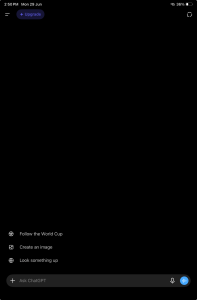
Then tap the side menu button.
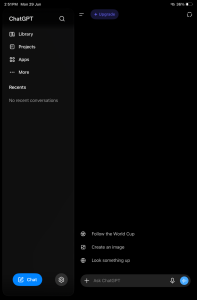
Select Apps from the side menu.
You’ll see the apps and services available to connect with ChatGPT.
In the search bar type: IBKR
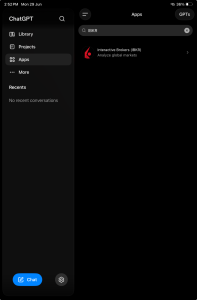
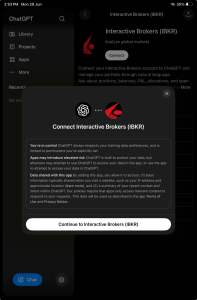
On the Interactive Brokers page, tap Connect.
A message will appear explaining that ChatGPT will redirect you to Interactive Brokers to complete the connection.
Tap Continue to Interactive Brokers (IBKR).
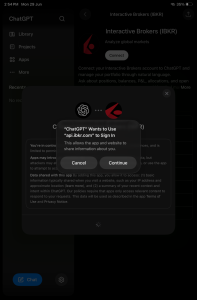
Your device will then ask for permission to allow ChatGPT to use api.ibkr.com.
Tap Continue.
You’ll then be redirected to the Interactive Brokers login page.
Use the same username and password you use to sign in to the Derayah Global app.
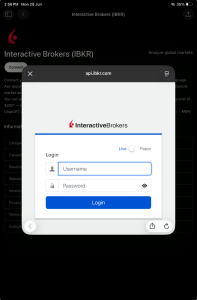
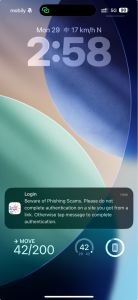
After signing in, you’ll receive a verification notification on your phone from the Derayah Global app.
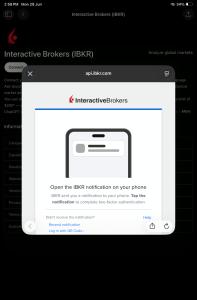
Tap the verification notification when it arrives.
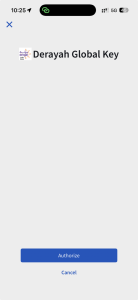
A page will open in the Derayah Global app. Tap Authorize.
After verification, the account connection agreement will appear.
Review the access details and permissions, scroll to the bottom, and approve the request to complete the connection.
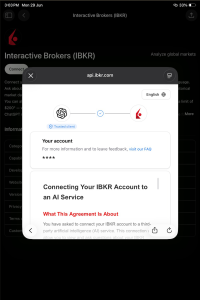
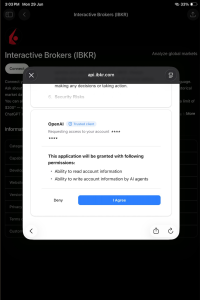
Once approved, ChatGPT will review the connection and complete the setup. This may take a few moments.
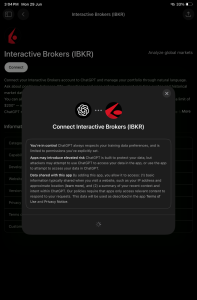
After the connection is complete, you’ll be able to use ChatGPT to view and understand your Derayah Global portfolio data more easily.
Try it out
Go back to your conversation in ChatGPT and try asking:
- Analyze my investment portfolio.
- Give me a summary of my open positions.
- How is my portfolio allocated?
- What are my unrealized gains and losses?
- What is my largest position?
- Give me a quick overview of my account performance.
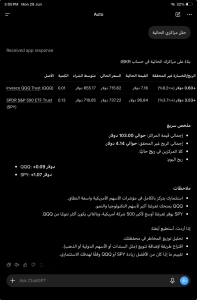
And that’s it, you can start using ChatGPT as a tool to help you understand your portfolio and keep track of its details
Important notice
The connection service helps you view your portfolio data and request summaries and analyses within the conversation, but investment decisions remain your responsibility. Review your data carefully and check the permissions before approving any account connection.
Support & Contact
For inquiries or assistance, please reach out through Derayah’s official channels:
Phone: 920024433
Email: support@derayah.com
X (Twitter): @Derayah