Every time investors open their portfolios, they are faced with a wide range of figures: stocks, percentages, positions, daily performance, and market movements that may take time to understand.
With so much information to process, you may need a simpler way to review your portfolio and understand your investment positions more clearly.
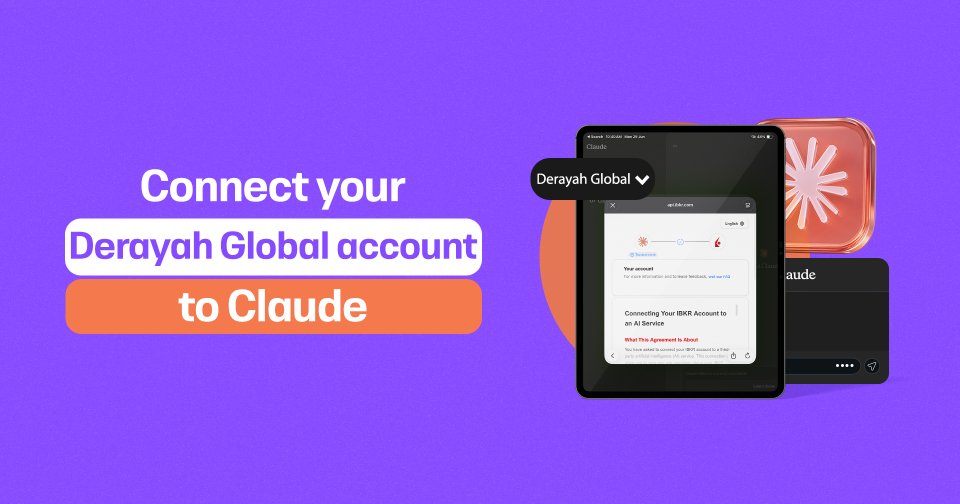
By connecting your Derayah Global account to Claude, you can ask questions about your portfolio directly and receive insights that help you organize the information and understand your data more easily.
Claude helps you gain a clearer view of your portfolio before making a decision.
Before You Start
Before connecting your account, make sure that:
- You have an active Derayah Global account.
- You know the username and password for your account.
- The Derayah Global app is active on your phone so you can receive verification notifications.
Once you have confirmed these requirements, you can begin the connection process.
From Claude to Your Portfolio
1. Sign in to Claude
Open Claude and sign in to your account.
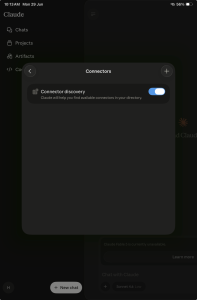
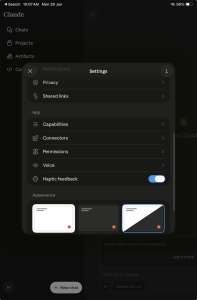
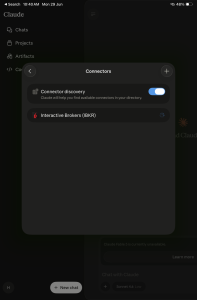
Then, click the account icon, select Connectors from the menu, and click the “+” button.
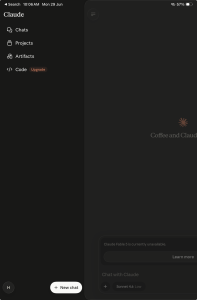
In the search field, enter: IBKR
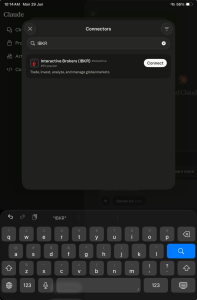
Once the connector appears, click Connect, then select Allow to begin the connection process.
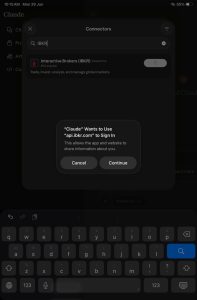
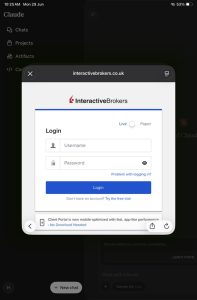
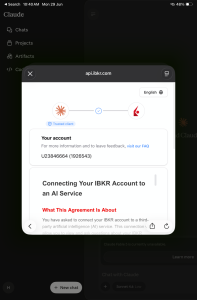
Sign in with Your Derayah Global Account
You will then be redirected to the login page.
Enter the same username and password you use to access the Derayah Global app.
After entering your login details, you will receive a verification notification through the Derayah Global app.
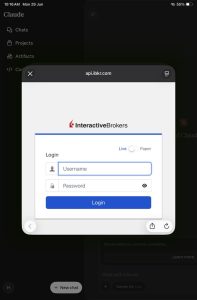
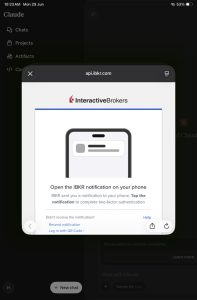
Open the notification and select: Authorize
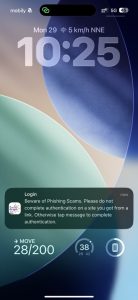
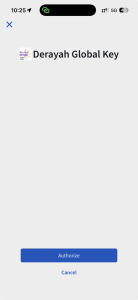
This will confirm your login.
Complete the Required Agreements
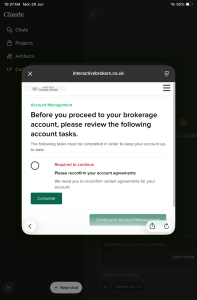
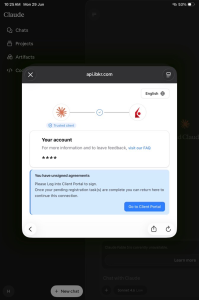
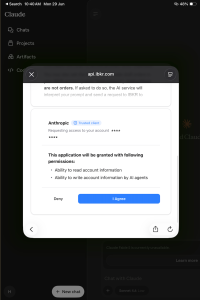
During the connection process, you may be asked to review and complete agreements associated with your account.
The system may ask you to sign in again using the same Derayah Global username and password.
Review the information carefully and make sure all the details are correct.
Then, complete the signature process by entering your name exactly as it appears in the Signature field.
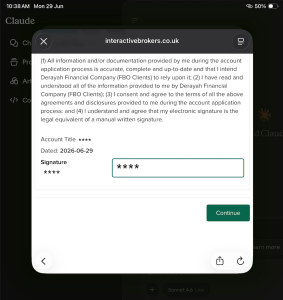
Once the agreement is completed, the system may ask you to sign in again to complete an additional agreement.
Follow the same steps until all requirements have been completed.
Try the Service
Once the connection is complete, return to Claude and enter a prompt such as:
Analyze my current positions.
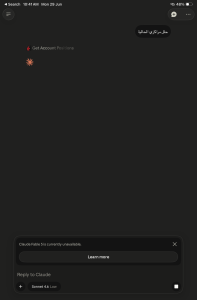
Claude will then ask for permission to access your portfolio data.
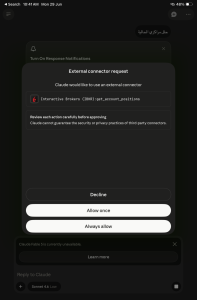
Select:
Allow once
to grant access for one session,
or:
Allow always
to grant ongoing access.
Claude will then begin displaying insights about your current positions based on the data connected to your account.
What Can You Ask Claude?
Once your account is connected, you can ask questions that help you understand your portfolio more clearly, such as:
- Analyze my current positions.
- How are my investments distributed across different stocks?
- What are the largest positions in my portfolio?
- Do I have a high concentration in a specific sector?
- Summarize the current performance of my portfolio.
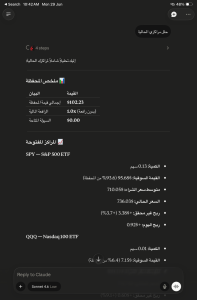
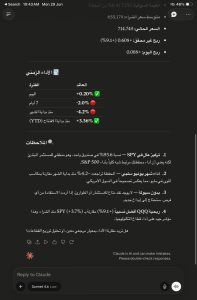
Each question can give you a new perspective on your investments.
Remember
Claude can help you read your data and understand your portfolio, but the final investment decision is always yours.
Take your time, understand your objectives, review the level of risk that is appropriate for you, and remember that investing requires a broader perspective than simply reading the numbers.
Support & Contact
For inquiries or assistance, please reach out through Derayah’s official channels:
Phone: 920024433
Email: support@derayah.com
X (Twitter): @Derayah